Git Intermediate Level
1. The Perfect Commit
In this section, we'll get how we can make a professional commit.
We will start with adding changes and then composing a commit message.
1.1. Adding the Right Changes!
Let's say we have 3 files with changes, Cramming everything into one commit is a Bad Idea.

But why? Because the bigger a commit gets, and the more topics that are mixed into it, the harder it gets to understand both for your colleagues and for yourself in the future.
For the next commit, it is better to select specific files or even parts of those files, like:


Watch the video to get a practical use case.
1.2. Composing a Good Commit Message!
- Subject: Concise summary of what happend.
- Body: More detailed explanation:
- Differences
- Reason
- Anything to watch out for
Examples:
- Subject: Add email verification
- Body:
- We added a new endpoint to the API to verify the email address.
- After signup function, we send an email to the user to verify his email address.
- New users don't have permission to access without verifying their email address.
Watch the video to get a practical use case.
2. Branching Strategies
Well, Git allows you to create branches, but it doesn't tell you how to use them!
So it is all about you (and your team) to decide the best practices of how work is ideally structured (to avoid mistakes & collisions).
Let's start from the simple to the complex.
2.1. Integrating Changes & Structuring Releases
2.1.1. Mainline Development
Always Be Integrating, that means: your commited changes are always going to be merged into the main branch (i.e the production code).
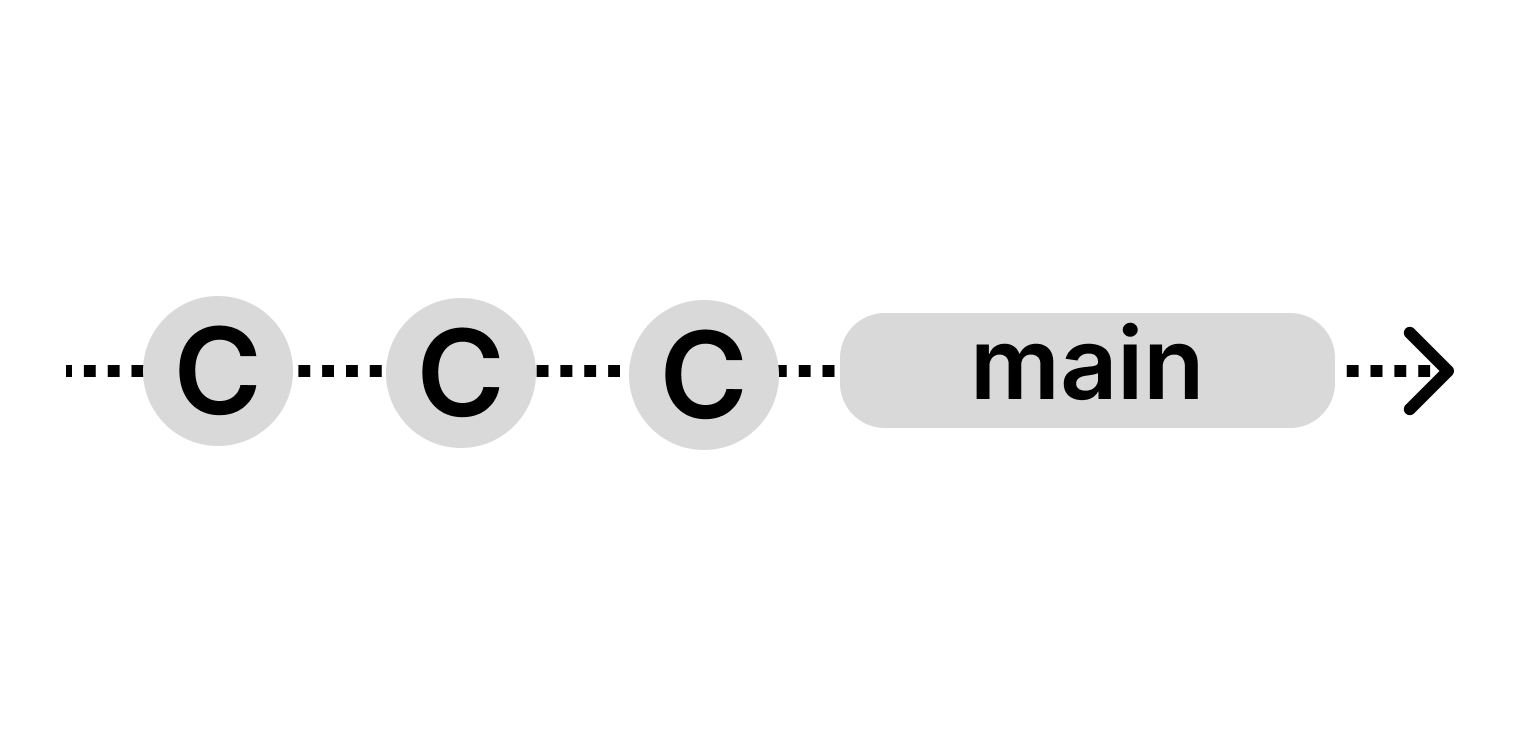
This model is based on:
- Few branches
- Relatively small commits
- must have a high quality testing & QA standards
2.1.2. State, Release, & Feature Branches
Branches Enhance Structures & Workflows. This model is based on:
- having different types of branches
- different stages (e.g. development, staging, production)
- fulfilling different types of jobs (e.g. testing, QA, deployment)
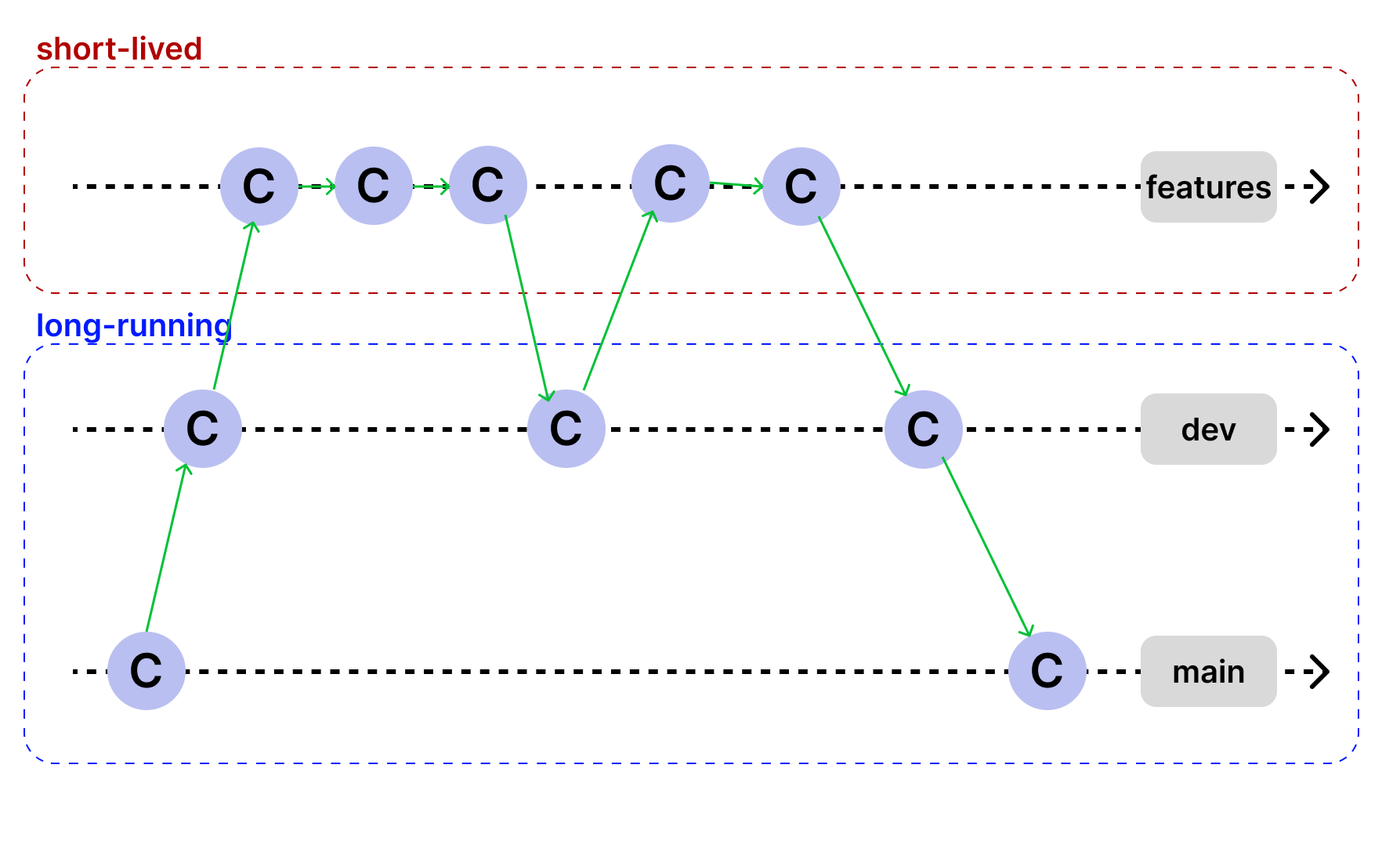
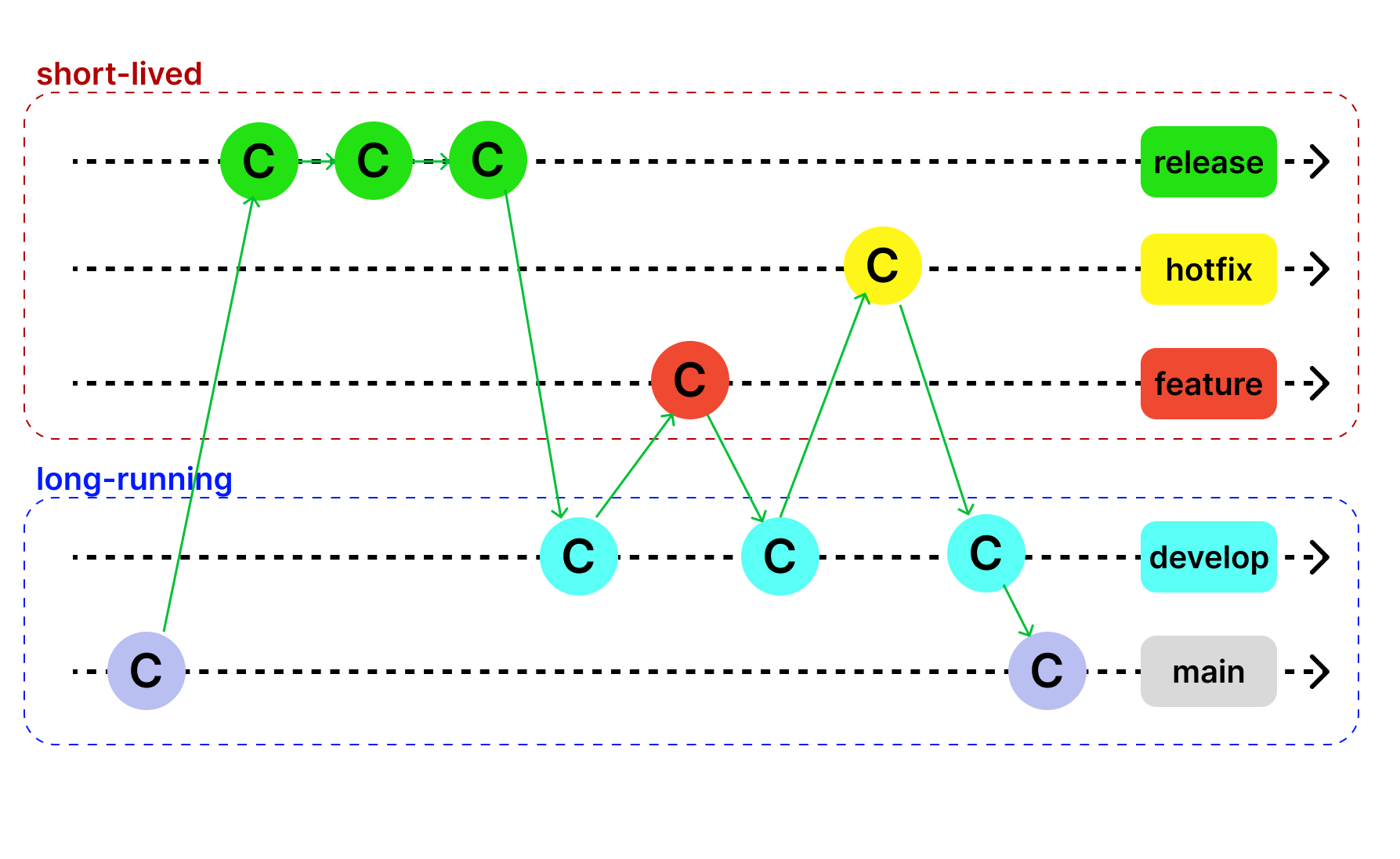
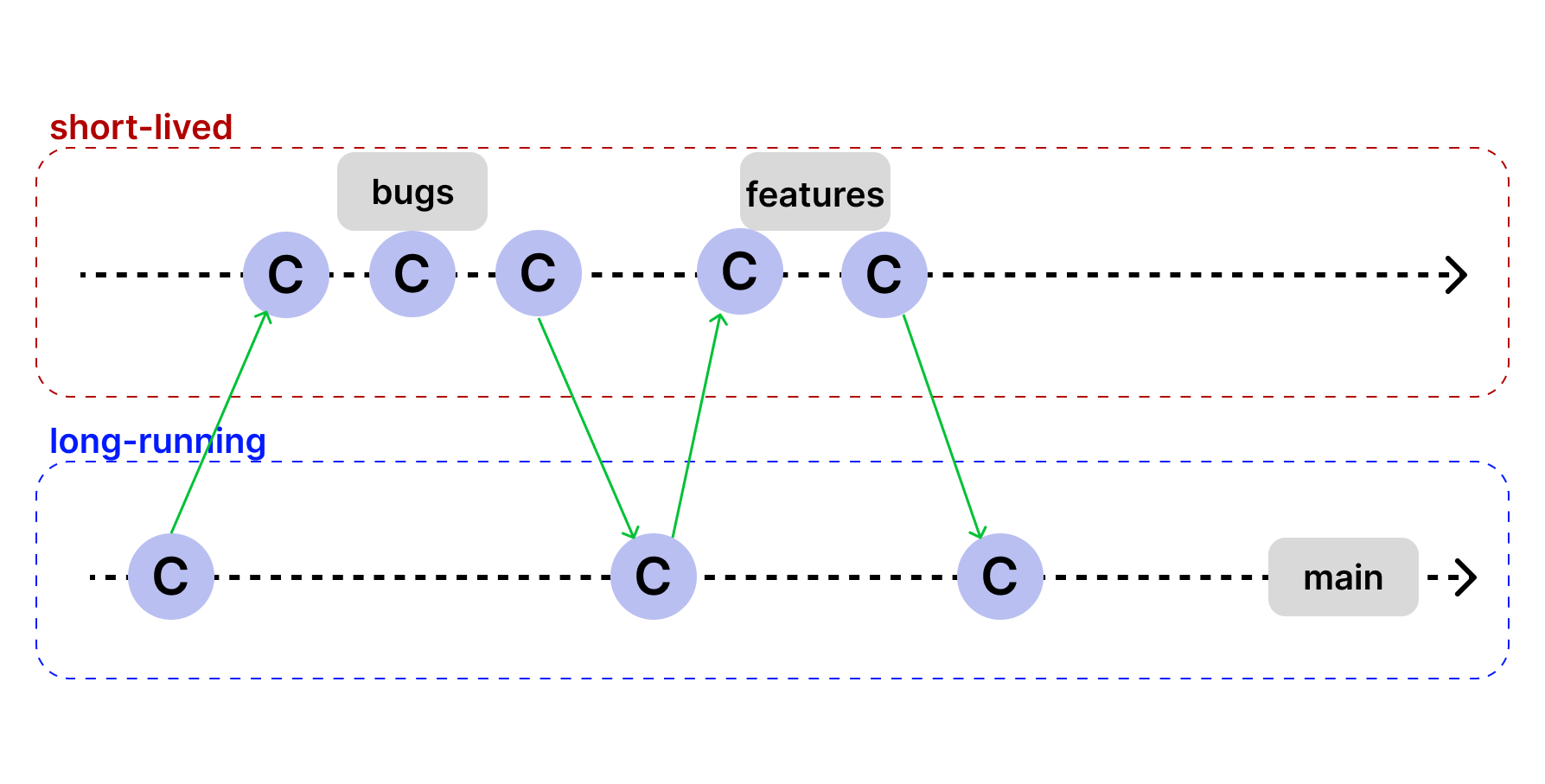
We can divide our branches here into 2 main types of branches:
- Long-Running branches:
- Exist through the complete lifecycle of the project.
- Often, they mirror the stages in our dev lifecycle.
- Common convention: No direct commits to this branches.
- Short-Lived branches:
- Exist for a short period of time.
- For new features, bug fixes, refactorings, experiments, etc.
- Will be deleted after integration (merge/rebase) into a logn-running branch.
2.1.3. Github Flow
Very simple, very lean: only one long-running branch main and one short-lived feature branche.
2.1.4. Git Flow
- More structured, so more rules.
- Long-running branches:
main+develop. - Short-lived branches:
feature+release+hotfix.